

UNDERSTAND
Public Proof Center
Read the reported paper evidence, check its source, and see which review steps are complete. Software checks and trading performance stay clearly separated.
Inspect public proof ↗Explore PMO’s market research, signal-review process, risk controls, and evidence journals. Start with the public proof. Choose the tools and workspace for your next step.
Software and education. Live trading requires separate safety checks and approval.
Research. Review. Stay in command.
Go straight to your workspace, market research, or platform guide.
No section matches your search. Try a market or module name.
PMO brings research, evidence, and operating tools into a connected workflow. Know what each module does and which tools your account includes.
Read the reported paper evidence, check its source, and see which review steps are complete. Software checks and trading performance stay clearly separated.
Inspect public proof ↗The operating view for PMO’s system state, account observations, risk controls, and records. Owner actions require their own authorization.
Open your workspace ↗Start with the available education preview. Customer AI tools require provisioning and delivery verification. AI access does not authorize orders.
Open education preview ↗The Public Proof Center keeps reported evidence and disclosures together. Source age and unavailable data stay visible, so you know what each result supports.
Open the Public Proof Center ↗Process overview · Not a claim of completed certification
Explore PMO’s research and proof across eight asset classes. Shared journals are identified. Separate market displays do not turn one record into several independent results.
Compare free access, education, planned software tools, and reviewed services in one place. Plans & Setup lists the prices, setup fees, availability, and request process.
Open Proof, search a market, inspect its journal and source age, then read the sample methodology. Paper counts describe the recorded run.
Open Public ProofCompare Plans & Setup, then create or sign in to your verified account. Your plan selection follows you through sign-in. Review your available tools and save your route and startup preferences in the workspace.
Open my workspaceInstall the Windows companion, approve its short-lived pairing code, and confirm the saved profile revision. Open the web tool included with your access.
Pair a desktop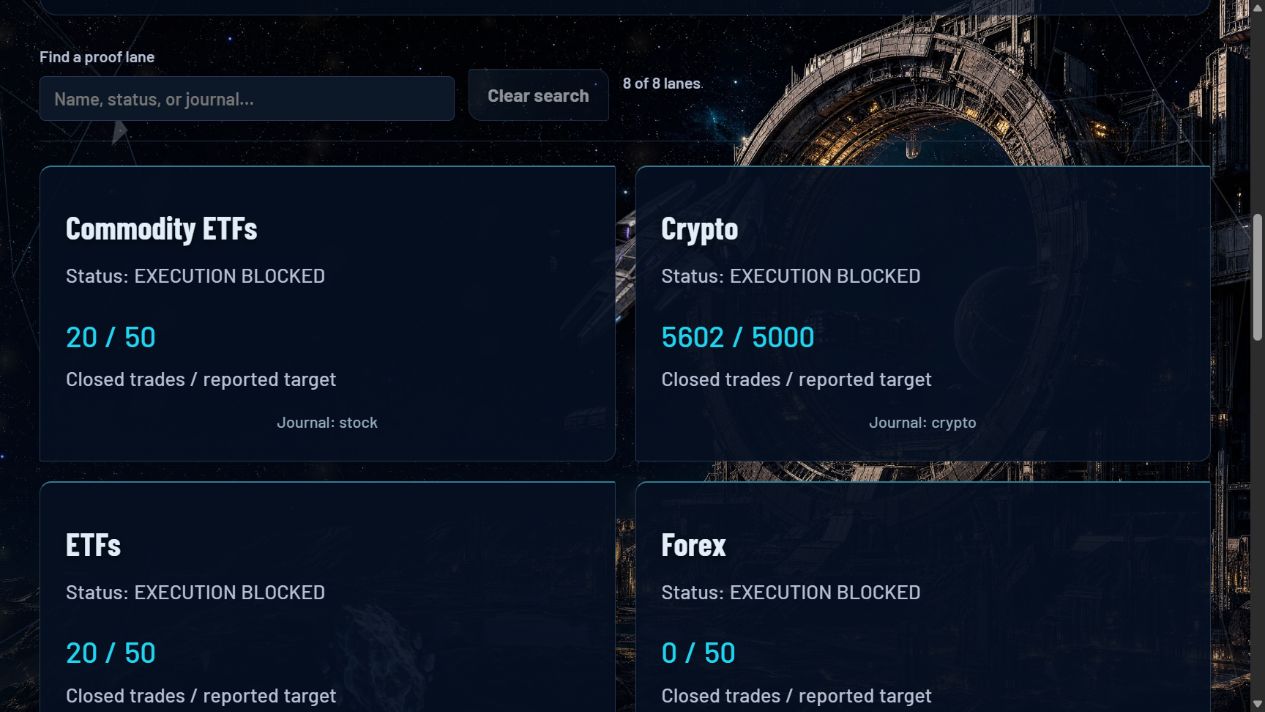
Account access, plan records, education preview, entitled quote scanner, customer simulation, support tickets, setup preferences, and public evidence.
The Desktop Companion saves the cloud profile locally, acknowledges its revision, and provides workspace shortcuts. Windows sign-in startup is optional.
Private research and execution owners run separately. They require their own integrations, credentials, qualification and authorization. They are not distributed inside the customer companion.
Provider limits for each route are listed once in Docs.
Saving a route selects a setup preference. It does not connect an account, verify entitlements, install its adapter, or submit an order. A software subscription does not grant broker authority. Alpaca live activation requires your own account, approved limits and explicit authorization in your local Orbital panel.
PMO Bot offers software, research, dashboards, reports, and educational content. These do not constitute investment advice or a guarantee of trading results.
Paid access does not authorize trading execution. Free accounts, setup requests, and subscriptions do not authorize live orders, connect customer broker credentials, or grant owner controls.
Public proof is read-only. Source age and missing data stay visible. Public paper evidence is simulated evidence, and paper evidence and past performance do not guarantee future results.
All sales are final. No refunds, except where applicable law requires otherwise.
Cancel future subscription renewals online through the billing portal. You do not have to call to cancel. Cancellation stops future renewals at the end of the period already paid.
You must be 18 or older to buy Signal Suite. Users 13 to 17 may use Signal Suite only through a parent's or guardian's purchase and with their permission.
For account, setup, billing, or privacy help, use Contact & support, or email support@pmo-bot.com. First human reply target: 2 business days. PMO support is not an emergency trading service.